
Table of Contents
In 2026 and beyond, automation is no longer limited to simple productivity hacks. It has become a core driver of both personal efficiency and large-scale business operations. What started as basic “if-this-then-that” triggers has now evolved into AI-driven, multi-step workflows that power marketing, sales, operations, customer support, and data management across industries.
Modern teams now rely on automation tools not just to save time, but to reduce errors, scale faster, and connect dozens of apps without writing code. With this rapid shift toward intelligent, multi-layered automation, choosing the right tool has become more important than ever.
This guide compares three of the most popular automation platforms:
- Zapier – Best for business workflows and multi-step integrations across thousands of apps
- IFTTT – Ideal for personal use, simple automations, and smart-home workflows
- Make (formerly Integromat) – A powerful visual workflow builder for complex business processes and advanced data handling
The purpose of this 2026 comparison guide is to help you select the right automation tool based on your needs, scale, and technical skill level, so you can automate smarter and grow faster.
Key Takeaways (Quick Snapshot)
- Zapier — Best for businesses: supports multi-step, complex workflows, and connects to thousands of apps.
- IFTTT — Best for personal tasks, smart-home automation, and absolute beginners due to its simplicity & ease of use.
- Make (formerly Integromat) — Best for advanced workflows and enterprise-level automation where complex logic, data transformations, or custom API/webhook integrations are needed.
Zapier, IFTTT & Make — Feature Comparison
Zapier is best suited for business workflows, medium to large teams, and multi-app automation. Its core strength lies in multi-step Zaps, advanced filters, conditional logic, delays, webhooks, and strong data handling. With 5,000–8,000+ app integrations, Zapier dominates the business automation space, covering CRMs, marketing platforms, and productivity tools. It supports full logic branching with Paths, making it ideal for complex workflows. However, it offers minimal smart-home or IoT support. Zapier provides solid API and data handling features for non-code users. Its biggest advantages are its huge app ecosystem, ease of use for non-technical users, and powerful multi-step automation, but it can become expensive at scale, and its task-based pricing can rise quickly. The free plan includes 100 tasks per month, while paid plans start around $19.99/month.
IFTTT is designed for personal use, smart-home automation, and simple one-step tasks. It works on a basic trigger → action model using Applets, which makes it extremely easy for beginners. IFTTT supports around 700–800 services, mainly focused on consumer apps, social platforms, and smart-home/IoT devices. Logic and branching are very limited, even on paid plans. It offers the strongest smart-home and IoT ecosystem among all three tools. Advanced data handling, AI, and APIs are very basic and limited. Its main strengths include simplicity, affordability, beginner-friendliness, and smart-home automation power, but it lacks business-grade workflow depth and may suffer from execution delays and limited data control. The free plan allows only a few applets, while paid Pro and Pro+ plans remain affordable for personal users.
Make (formerly Integromat) is built for advanced workflows, technical teams, and complex business logic with heavy data flows. It offers a powerful visual scenario builder with routers, loops, iterators, and full data transformation tools. Make supports 1,000–2,000+ apps, with extremely flexible HTTP and webhook support for custom APIs. It delivers full logic branching, conditional operations, and complex data routing, making it ideal for advanced automation. Smart-home support is moderate and mostly API-based, not consumer-focused. Make is the strongest in API handling, JSON/XML parsing, advanced data processing, and enterprise-level workflows. Its biggest strengths are flexibility, deep customization, strong data handling, and cost efficiency for complex workflows, but it has a steeper learning curve and requires more technical knowledge. The free plan includes limited scenarios, while paid plans start around $9–$10/month, scaling with usage.
Tool Overviews
Zapier
- Zapier was founded in 2011.
- It supports a massive ecosystem — commonly cited as 8,000+ apps/integrations (or more, depending on counting method).
- Zapier enables multi-step workflows, with conditional logic, branching (“Paths”), filters, data formatting, delays, webhooks, and more.
- It’s widely used for business-level automation: marketing, CRM, sales, operations, cross-app data syncs, etc.
- Overall: Zapier is ideal for businesses and teams — especially those needing robust automation across many apps without heavy coding.
IFTTT
- IFTTT was founded in 2010. Tech Skill Lab
- It offers around 1000+ “channels/services” — mostly consumer apps, IoT, and smart-home devices.
- IFTTT’s automation style is simple: one-step “Applets” (trigger → action), making it perfect for basic tasks and device/app automations.
- Many of its use cases focus on everyday tasks, smart-home control, social media shortcuts, or personal productivity — a good fit for smart-home enthusiasts and beginners.
- Its interface and philosophy lean toward ease and simplicity rather than complexity. Mobile-friendly and accessible for non-technical users.
Make (Integromat)
- Make (formerly Integromat) launched around 2012.
- It uses a visual “scenario builder” (drag-and-drop / canvas) that lets you create workflows with many steps, branching logic, loops/iterators, data transformations, API calls/webhooks, and more.
- Make is geared toward advanced, complex workflows — good for enterprises or projects needing detailed automation, custom logic, data processing, integrations beyond out-of-the-box apps.
- Because of its flexibility and power, Make is a strong choice for technical teams or businesses needing sophisticated automation and control.
Core Feature Comparison (Short Summary)
Here’s how Zapier, IFTTT and Make stack up across key automation-feature dimensions:
Automation Complexity
Zapier: supports multi-step Zaps — good for workflows combining several actions.
IFTTT: mostly single-step Applets (trigger → action), simple and lightweight.
Make: supports complex, multi-step scenarios, including loops, branching, data transformation — excellent for complex workflows.
Logic & Branching (conditional rules, filters, delays, etc.)
Zapier: yes — filters, branching (Paths), data formatting, delays, webhooks, error handling available.
IFTTT: very limited — mostly straightforward trigger-action; lacking advanced logic or branching.
Make: strong support — conditional logic, routers/branches, loops/iterators, data handling, custom API calls.
Integration Depth & App Support
Zapier: among the largest — thousands of apps (business, marketing, productivity, etc.), plus support for webhooks/custom integrations when needed.
IFTTT: fewer integrations compared to Zapier — mostly consumer-focused, smart-home, IoT, and simple apps.
Make: fewer pre-built integrations than Zapier, but with strong support for custom API via webhooks, making it flexible even for less common tools. AI / Advanced Data Handling & Customization
Zapier: offers data formatting, field mapping, webhooks, and built-in utilities — good for many business automation needs. IFTTT: minimal — not built for complex data manipulation or AI/data-heavy workflows. Make: excels at data handling — JSON/XML parsing, transformations, custom API calls, router logic, complex data workflows, making it ideal for advanced or enterprise automation.
Smart Home / IoT / Consumer Device & Mobile Support
IFTTT: strong support — many integrations with smart-home devices, IoT services, mobile-first design, easy for simple personal automations.
Zapier: focused more on business apps — not designed primarily for smart-home or IoT; limited native device integration.
Make: while possible (via APIs/webhooks), smart home / IoT is not its core strength — better suited for business or data workflows
Error Handling & Debugging / Workflow History / Logging
Zapier: supports error paths, retries, logs/task history — important for business-critical automation.
IFTTT: limited — simple logs, but minimal debugging or advanced error handling, which may make complex automations risky.
Make: strong: provides detailed logging, scenario history, error handling, ability to debug complex flows — good for complex automation reliability.
Strengths & Unique Advantages
Zapier
- Business-grade and highly scalable for growing teams
- Largest SaaS integration ecosystem for marketing, CRM, sales & operations
- Supports no-code + low-code automation with filters, paths, and webhooks
IFTTT
- Extremely simple and beginner-friendly
- Best-in-class smart-home and IoT ecosystem
- Free plan is ideal for personal automation and daily tasks
Make (Integromat)
- Highly customizable visual workflows
- Advanced logic, data handling, and API integrations
- Real-time execution view and detailed scenario logging
Use Cases: Choosing the Right Tool
- Choose Zapier if you need:
Multi-step workflows, SaaS integrations, CRM syncing, marketing automation, and business process automation. - Choose IFTTT if you need:
Smart-home automation, casual personal workflows, social media shortcuts, and mobile-based automation. - Choose Make if you need:
Enterprise-level automation, complex multi-step workflows, advanced error handling, APIs, and data-heavy processes.
Workflow Setup & Usability
- Zapier: Uses drag-and-drop Zaps; intuitive for most users but complex workflows may require testing to ensure reliability.
- IFTTT: Step-by-step Applet creation makes it highly beginner-friendly; mobile-first design suits personal and smart home automation.
- Make (Integromat): Offers a visual scenario builder with advanced features; some technical knowledge is recommended for complex workflows.
Integrations & Supported Apps
- Zapier: Connects with 8,000+ business apps, covering CRM, marketing, sales, operations, and more.
- IFTTT: Supports 1000+ channels, with a focus on smart home devices, IoT, and consumer apps.
- Make: Integrates with 1,000+ apps and offers custom API and enterprise-level integrations, making it suitable for complex business workflows.
Multi-Step Automations & Advanced Features
- Zapier: Supports conditional logic, branching, error handling, multi-step workflows, API/webhooks, scheduling, and automated triggers; includes visual task history and logs for debugging.
- IFTTT: Limited to single-step Applets; basic scheduling and triggers; minimal error handling; simple setup for personal or smart-home automation.
- Make (Integromat): Advanced multi-step workflows with full conditional logic, branching, loops, API/webhook support, scheduling, and visual debugging with detailed logs, ideal for enterprise or complex business automation.
Pricing Comparison (Short)
Zapier
Zapier offers a free plan that includes 100 tasks per month and allows users to create up to 5 Zaps. This plan is suitable for basic automation needs, but it comes with limitations. Zapier’s paid plans include Starter, Pro, Team, and Enterprise, which unlock more advanced features. Notably, multi-step Zaps are only available on paid plans, making them essential for users who need complex workflows.
IFTTT
IFTTT provides a free plan that allows users to create 2 applets, making it ideal for simple automations. For users who require more functionality, IFTTT offers Pro, Pro+, and Developer plans. These paid options are generally more affordable compared to other automation tools and are especially popular among personal users and smart home automation enthusiasts.
Make (formerly Integromat)
Make’s free plan allows users to run up to 2 scenarios, giving them a hands-on way to explore the platform’s visual automation builder. Its paid plans include Core, Pro, Teams, and Enterprise, which are designed to scale with business needs. Make is known for its flexible pricing and scalability, making it a strong choice for businesses that expect their automation usage to grow over time.
Quick insights:
- Zapier is best for businesses needing multi-step automation but may get expensive at scale.
- IFTTT is cost-effective for personal or smart-home use.
- Make scales well for complex workflows, offering good value for enterprise-level automation.
Free plans are useful for testing or simple automation, but advanced features usually require paid tiers.
Community Feedback & Real-World Opinions
- Zapier: Highly praised for business automation and multi-step workflows; some users note a steeper learning curve for beginners and higher costs at scale.
- IFTTT: Loved for simplicity and ease of use, especially for personal tasks and smart-home automation; limited workflow depth is a common drawback.
- Make (Integromat): Users appreciate its power and flexibility for complex workflows; however, it has a steeper learning curve and requires more technical comfort.
Feedback gathered from Reddit, Twitter, and tech blogs confirms Zapier as a business favorite, IFTTT for casual users, and Make for advanced or enterprise users.
Alternative & All-in-One Solutions
- ClickUp: Offers built-in automation, dashboards, 1,000+ integrations, and AI-powered workflow capabilities; ideal for teams seeking an all-in-one project management + automation tool.
- Knack: A no-code app builder that enables secure custom workflows, data management, and automation for data-heavy business use cases.
These alternatives can serve users who want more than just automation, combining project management, workflow visualization, and custom apps in one platform.
Value Analysis
- IFTTT: Best suited for personal tasks and smart-home automation; simple, free-friendly, ideal for casual users.
- Zapier: Excels in no-code business automation, connecting multiple apps for marketing, CRM, and operational workflows.
- Make (Integromat): Ideal for advanced workflows and enterprise-level solutions, supporting complex logic, API integrations, and data-heavy processes.
Final Verdict & Recommendations
- Choose the right tool based on:
- Business size
- Technical skill
- Workflow complexity
- AI or automation needs
Example recommendations:
- Personal / Smart Home → IFTTT
- Business / Marketing → Zapier
- Advanced Enterprise Workflows → Make
Each tool has a clear niche; selecting based on needs and workflow complexity ensures maximum efficiency.
Conclusion
Automation in 2026 is no longer just about saving time—it’s about building smarter, more scalable, and more resilient workflows across personal and business environments. As this comparison shows, Zapier, IFTTT, and Make each serve a distinct purpose, and there is no one-size-fits-all solution.
- IFTTT stands out for its simplicity and dominance in personal and smart-home automation.
- Zapier remains the gold standard for no-code business automation, powering thousands of integrations across marketing, sales, operations, and customer support.
- Make (Integromat) leads in advanced, enterprise-grade automation, offering unmatched flexibility for complex logic, APIs, and data-heavy workflows.
The right choice depends on your workflow complexity, technical skill level, budget, and long-term growth goals. Whether you’re automating a smart home routine, scaling a SaaS business, or building enterprise-level integrations, choosing the right automation platform can dramatically improve productivity, accuracy, and operational efficiency.
Table of Contents
Get started with Easy Aiz
Have any project in mind? Book a free call now to automate your Project !!
FAQ
Zap basically is an automated workflow. It consists of trigger steps and connects the applications and services together to automate tasks. The actions happen after you turn your Zap on.
Yes, Zapier is entirely safe and secure to use. It integrates apps together while maintaining complete transparency. Furthermore, it adheres to all the security concerns to protect your data from security breaches.
Yes, Zapier can be called a plugin which helps you send data to apps like Google Sheets, MaiChimp or Slack through your ecommerce stores.
No, Zapier is a no-code platform which is specially designed for common people with no technical knowledge. That means, you can create and manage automations using a simple interface without writing a single line of code. However, for advanced use cases, Zapier also offers custom code steps using JavaScript or Python.
Yes, Zapier supports multi-step Zaps. Thus, allowing you to run several actions from a single trigger. For example, when a new lead is captured in Typeform, you can simultaneously send an email, update a Google Sheet, and post a Slack notification with the help of Zap.
Get started with Easy Aiz
Have any project in mind? Book a free call now to automate your Project !!
More Blogs
Discover a complete yet unbiased comparison of Zapier vs Make. Dig deep into their features, pricing, integrations and much more.
Explore top 11 closest Zapier competitors- each offering a unique set of features and facilities.
How to Set Up Zapier Integration with Mad Mimi and Outgrow Zohaib Ali 10/07/2025 Table …
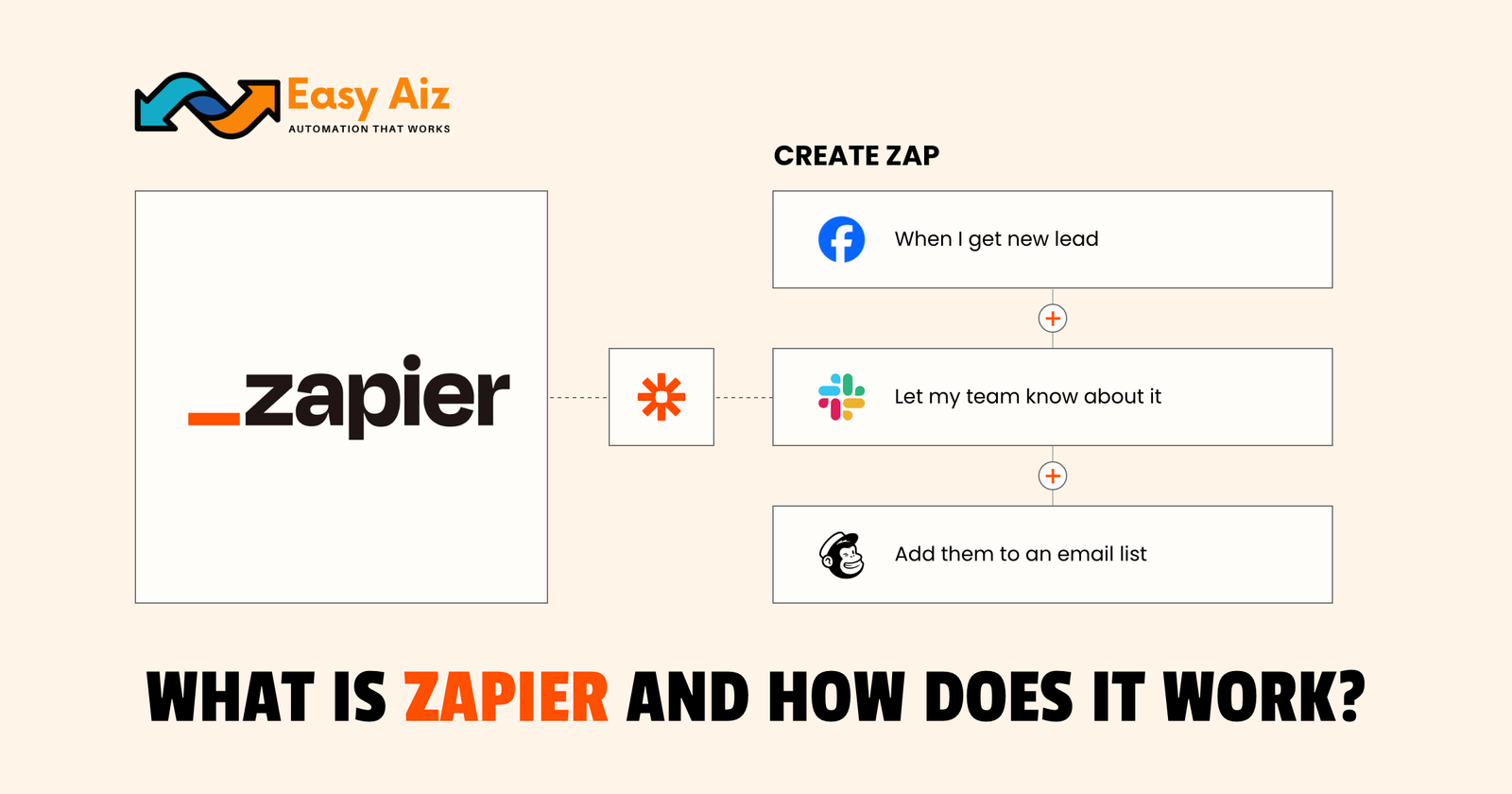
Explore some of the best email marketing softwares in 2025 along with their key features, pros, cons and pricing plans.